Numberlink Puzzle Maker for Teachers: Printable Puzzles With One Solution
Numberlink puzzles look simple: connect each pair of matching numbers with a line. But solving one well takes planning, spatial reasoning and patience — exactly the habits we want students to bring to math problems. This guide shows how to create printable Numberlink worksheets and full puzzle books with the Numberlink Puzzle Maker in your OnlineMathWorksheet account, how to choose the right size and difficulty for each grade, and how to use the puzzles in class.
What is a Numberlink puzzle?
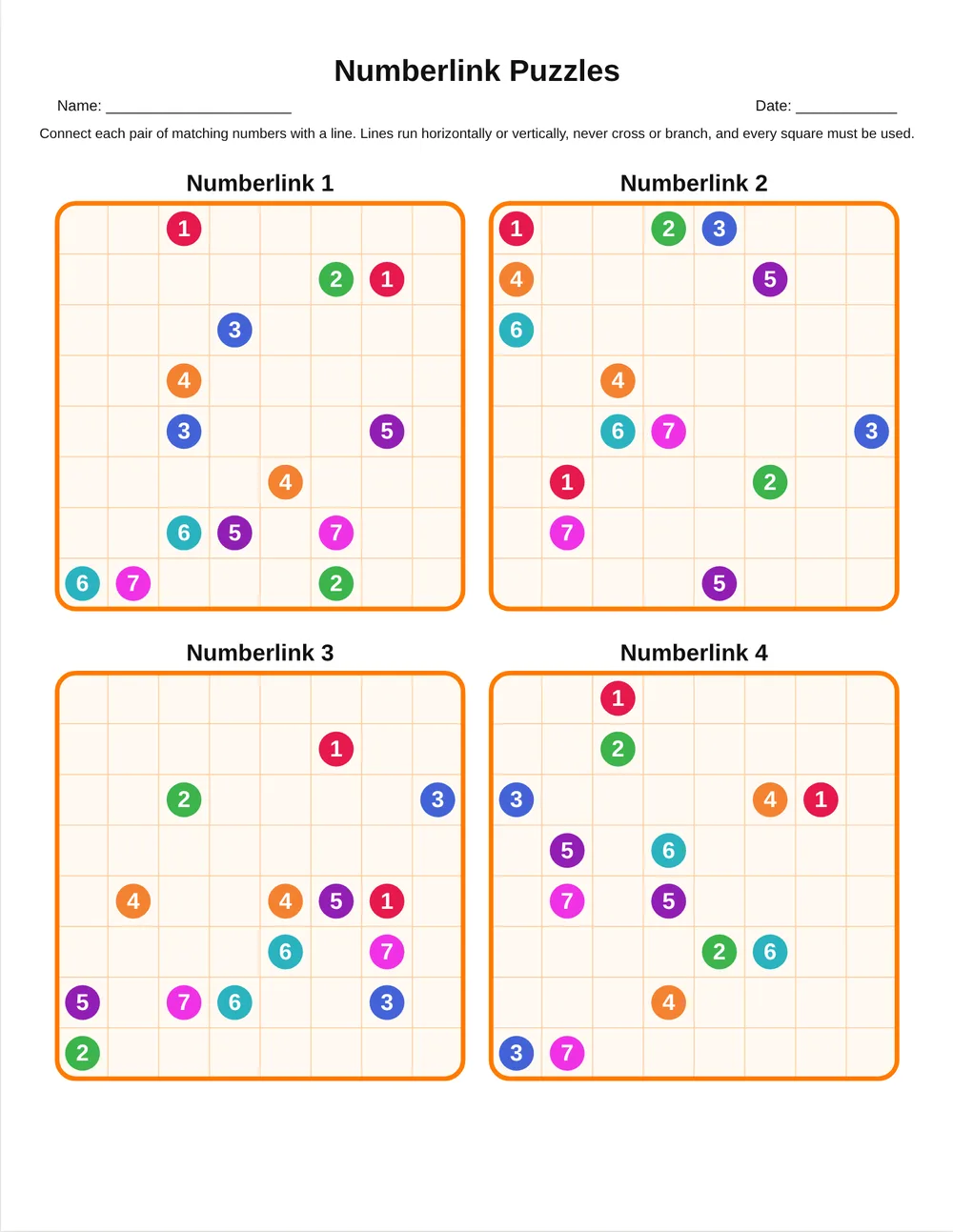
A Numberlink puzzle is a grid with pairs of matching numbers. The solver draws one continuous line between each pair. Lines travel horizontally or vertically from square to square, they never cross or branch, and in our puzzles every square of the grid must be used. That last rule matters: it is what makes each puzzle have exactly one correct answer, so students can check their thinking instead of guessing.
Many students already know the idea from phone games like “Flow”. On paper, without an undo button, the puzzle becomes a real exercise in planning ahead, testing an idea and correcting it.
Why teachers use Numberlink in math class
Numberlink is not arithmetic practice, and that is its strength. It trains the problem-solving side of mathematics:
- Spatial reasoning. Students picture paths before drawing them, which supports geometry, coordinates and graph reading.
- Planning and logic. A line that seems fine can block another pair. Students learn to ask “what does this move force?” — the same question behind good equation solving.
- Perseverance. Each puzzle has a clear goal and a single answer, so effort is rewarded and mistakes are easy to spot.
- Calm focus. A puzzle is a quiet, screen-free activity for early finishers, transitions or the last ten minutes before a holiday.
How to make a Numberlink worksheet in 60 seconds
Open the tool from your account and follow these steps:
- Choose the grid size. The buttons cover 5×5 to 15×15; you can also type custom rows and columns up to 20.
- Choose the difficulty. Easy puzzles have more pairs and shorter lines; Hard puzzles have fewer pairs and long, winding paths.
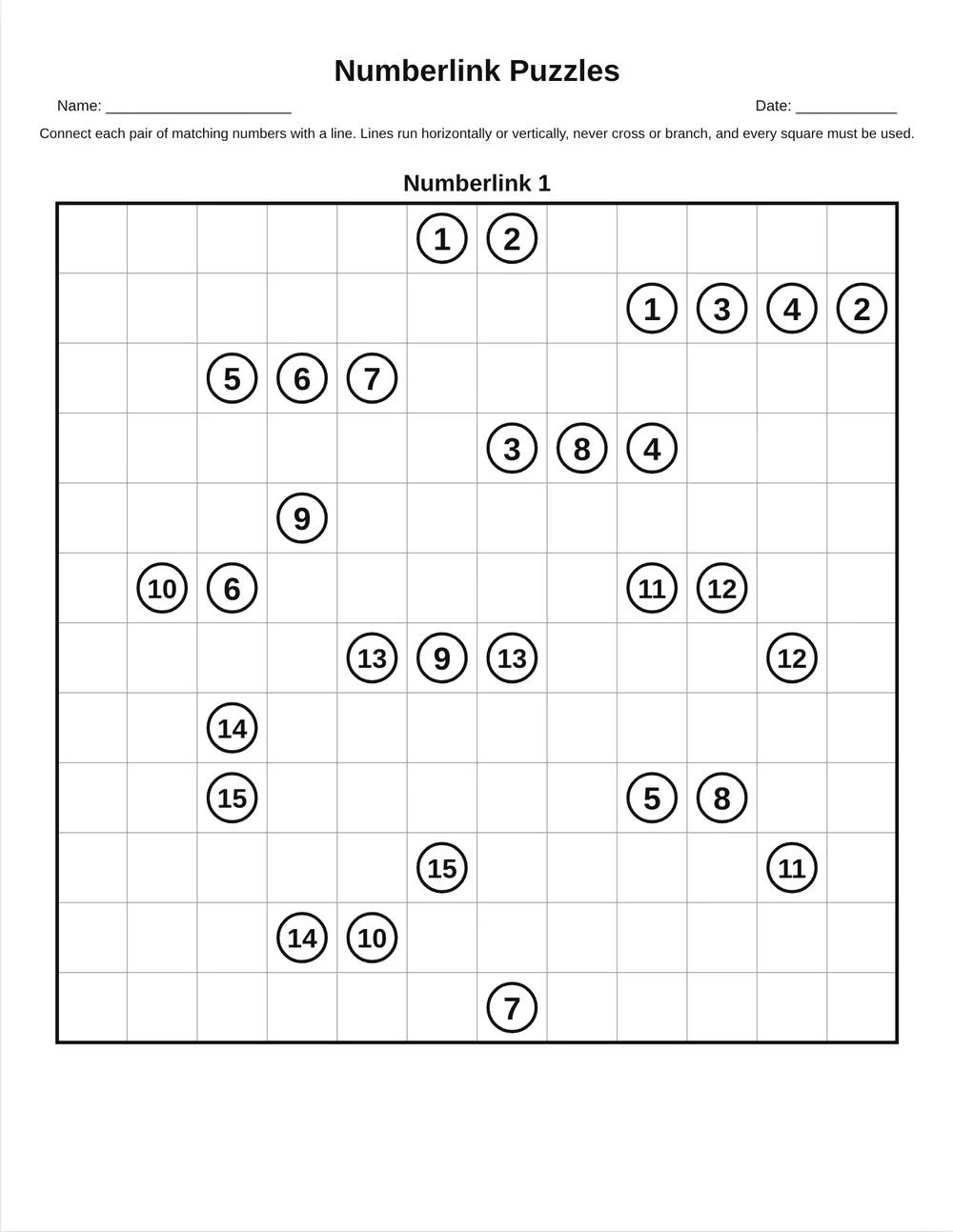
- Set grids per page with the slider. One large grid is perfect for younger children; four or six small grids make a compact practice sheet.
- Open Header & footer to add a title, a “Name / Date” line, instructions, page numbers and your own copyright line.
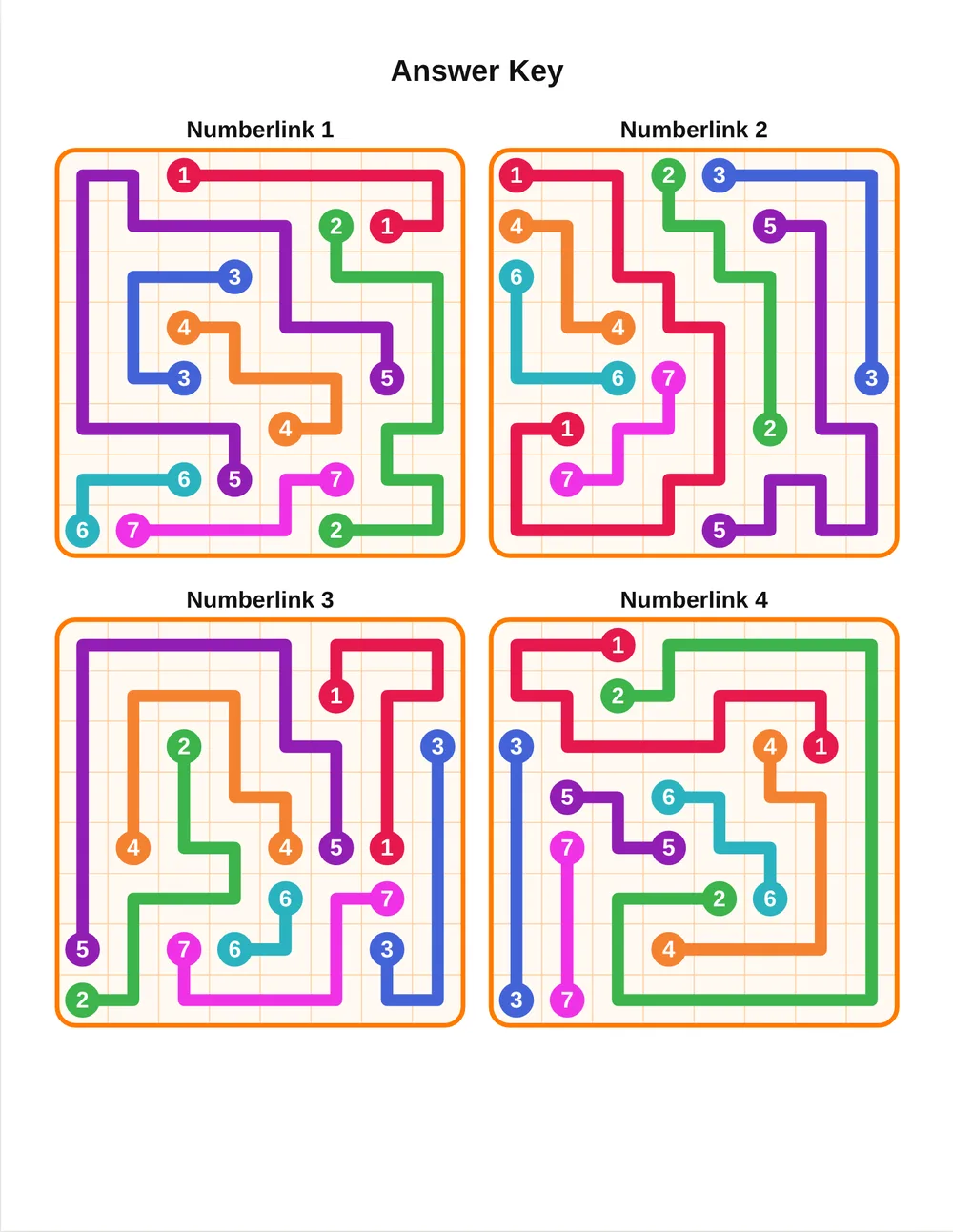
- Choose an answer key: “Same layout” repeats every page with solutions; “Compact” fits up to 20 solutions on one page.
- Click Export PDF, or download PNG, SVG or PowerPoint files.
Choosing size and difficulty by grade
| Ages 5–7 | 5×5 or 6×6, Easy, one grid per page, “Kids” theme with colored circles |
|---|---|
| Ages 7–9 | 7×7 or 8×8, Easy to Medium, two to four grids per page |
| Ages 9–11 | 9×9 or 10×10, Medium, four grids per page |
| Ages 11+ | 12×12 to 15×15, Hard, one or two grids per page |
A good rule: start one step easier than you think. The first puzzle should feel like a win. Once students understand that every square must be filled, they move up quickly.
Building a full puzzle book
Switch to the Bulk tab to create up to 100 pages at once. Tick Increase difficulty through the book and the first third will be Easy, the middle Medium and the end Hard — a natural progression for a term-long puzzle packet or a holiday booklet. Puzzle numbers continue across pages (Puzzle 1, Puzzle 2…), and the answer key is added at the end automatically.
The paper menu includes US Letter, A4, A5 and the most popular Amazon KDP trim sizes (5×8, 6×9, 7×10, 8×10, 8.5×8.5, 8.25×11 and 8.5×11), so the same project works for classroom printing and for a printed book. See our step-by-step guide on making a puzzle book for Amazon KDP.
Design options that save you time
- Quick themes: Classic, Soft, Kids and Ink saver change borders, colors and fonts in one click.
- Symbols: numbers, letters (A, B, C…) or colored dots — great for children who are still learning numerals.
- 20 fonts for titles, labels and numbers, including dyslexia-friendly options such as Lexend, Andika and Atkinson Hyperlegible.
- Text and images: add a class logo, a reward sticker or a note anywhere on the page, then drag and resize it.
- One-click changes: click any grid to replace just that puzzle or show its solution.
- Undo, redo and autosave keep your work safe; you can also save a project file and open it next year.
Classroom routines that work
Puzzle of the day. Project one grid at the start of class and solve it together, thinking aloud: “The 3s are in the corner, so their line must hug the edge.” Students then try a similar puzzle alone.
Early-finisher folder. Keep a folder of mixed-difficulty pages. Students take one when they finish, then check themselves with the answer key.
Partner challenge. One student draws, the other must agree with every segment before it is drawn. This builds the habit of justifying each step.
Brain break. A 5×5 or 6×6 puzzle takes two or three minutes and calms a busy room after recess.
Common mistakes and quick fixes
| Students leave empty squares | Remind them of the rule: every square is used. Empty squares mean a line must take a longer route. |
|---|---|
| Lines cross or touch diagonally | Show that lines move only up, down, left or right and can never share a square. |
| Puzzle too hard, students give up | Drop one size or one difficulty level and use one big grid per page. |
| Students copy neighbours | Every page is generated fresh — print different pages for neighbouring desks. |
Pair it with math practice
Use a Numberlink puzzle as a warm-up, then move to a skill page made with the 52-activity math generator — for example coordinate grids after a spatial puzzle, or multi-step word problems after a hard logic grid. If you are looking for free printables, our free puzzle makers include mazes, word searches and sudoku, and our guide on how to solve Numberlink puzzles gives you strategies to teach explicitly.
Create your own puzzles in minutes
Unique solutions · answer keys · US Letter, A4 & KDP sizes · PDF, PNG, SVG, PPTX
Start your free day →Frequently asked questions
Does every Numberlink puzzle have only one solution?
Yes. Each puzzle is checked by a solver before it appears, and every square must be used, so there is exactly one correct answer.
What sizes can I make?
From 5×5 to 15×15 with one click, or custom sizes up to 20×20 rows and columns.
Can I make a whole puzzle book?
Yes. The Bulk tab creates up to 100 pages at once, with optional rising difficulty and an answer key at the end.
Which file formats can I export?
PDF, PNG (single page or ZIP), SVG (single page or ZIP) and PowerPoint, at 150, 300 or 450 dpi.
Is the Numberlink maker free?
It is part of the full version of OnlineMathWorksheet. You can try every tool free for one day.
Can I use letters or colors instead of numbers?
Yes. Choose numbers, letters or colored dots in the Numbers section.
Does it work for Amazon KDP books?
Yes. The paper menu includes the popular KDP trim sizes, and you can add page numbers and a copyright line.
Summary
The Numberlink Puzzle Maker gives you unlimited unique-solution puzzles, from tiny 5×5 starters to demanding 15×15 grids, with answer keys and whole books in a few clicks. Start one level easier than you think, solve the first puzzle together, and use the puzzles as a regular, calm thinking routine.
More puzzle guides for teachers
We build math worksheets, puzzle makers, answer keys and classroom tools for teachers, tutors and homeschool parents, and keep these guides up to date.