Solving Equations Worksheets: Linear and Quadratic Multiple-Choice Quizzes in Minutes
Solving equations is the skill that unlocks the rest of algebra, and students only master it through a lot of varied practice. Writing fresh equations for every class, checking that the numbers work out and inventing believable wrong answers for a multiple-choice quiz takes hours. This guide explains how to build good solving equations worksheets — linear and quadratic, from easy to hard — and how the Equations Quiz Studio in your OnlineMathWorksheet account makes a printable multiple-choice quiz with four answer choices and worked solutions in a few minutes.
- Why practise solving equations with multiple choice?
- Nine question types, from first steps to the quadratic formula
- Easy, medium or hard — you decide
- Four answer choices that make students think
- A header that looks like your own test
- Answer key with worked solutions
- Up to 50 pages with one click
- Classroom tips
Why practise solving equations with multiple choice?
Open questions show the full method, but multiple-choice quizzes have strengths of their own. They are fast to mark, they work for warm-ups and exit tickets, and good wrong answers reveal exactly which mistake a student made. A student who picks x = −4 instead of x = 4 has a sign error; one who picks {3} instead of {−3 ; 3} forgot the second solution of a quadratic.
The Equations Quiz Studio builds its wrong answers from those typical errors, so a quiz is not just a test but a diagnosis. And when you want students to show their work, one click switches every question to an open question with space to write.
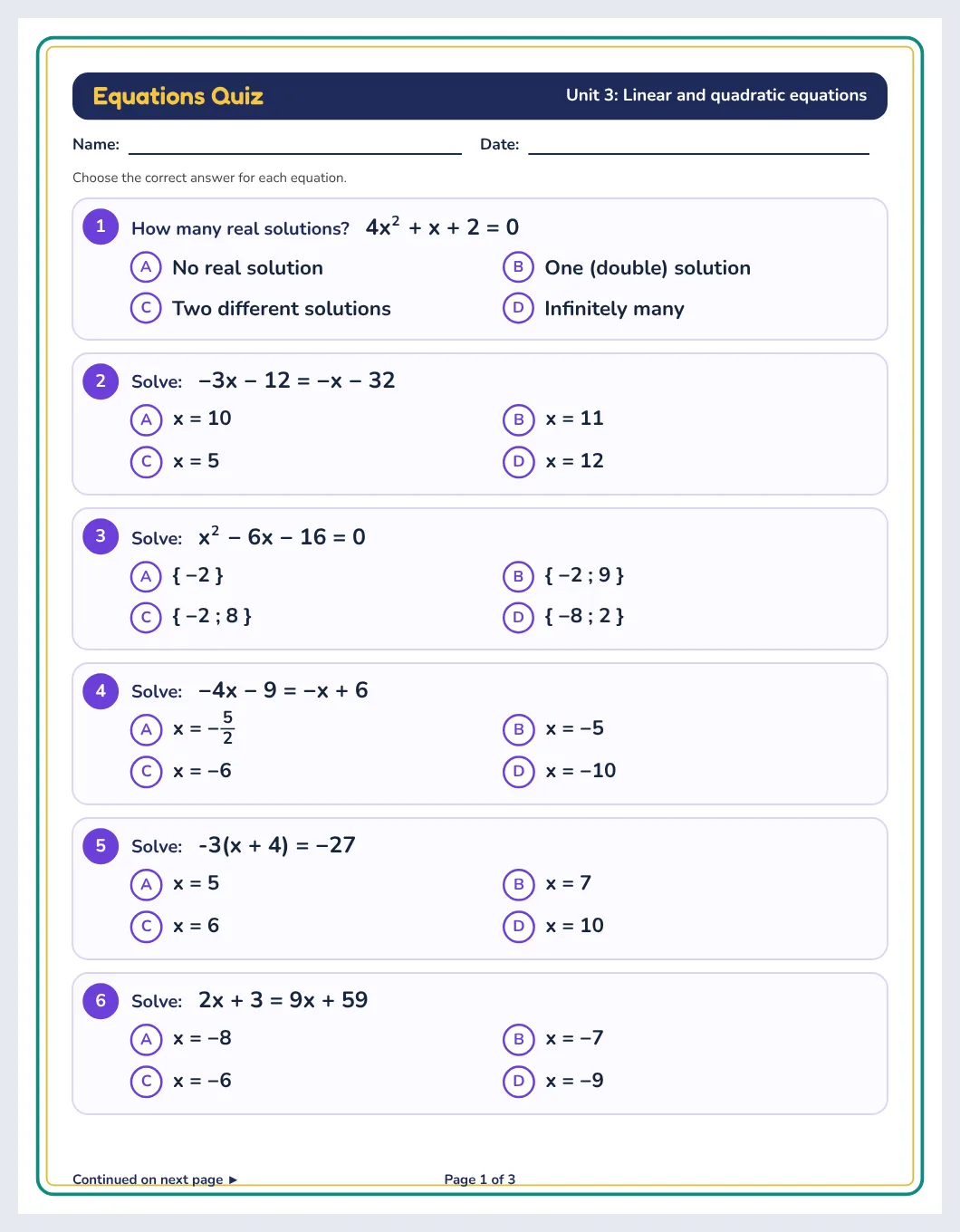
Nine question types, from first steps to the quadratic formula
| ax + b = c | One- and two-step linear equations. |
|---|---|
| Unknown on both sides | 4x + 7 = x − 8: collect the terms, then solve. |
| With brackets | 3(x − 6) = −24, and harder ones with terms outside the brackets. |
| With fractions | x/3 + x/4 = 35 and x/5 + 2 = −4. |
| ax² = k | Simple quadratics with two opposite solutions. |
| Factorable (a = 1) | x² − x − 90 = 0 → (x − 10)(x + 9) = 0. |
| Factorable (a ≠ 1) | 12x² − 25x + 12 = 0, with fractional solutions. |
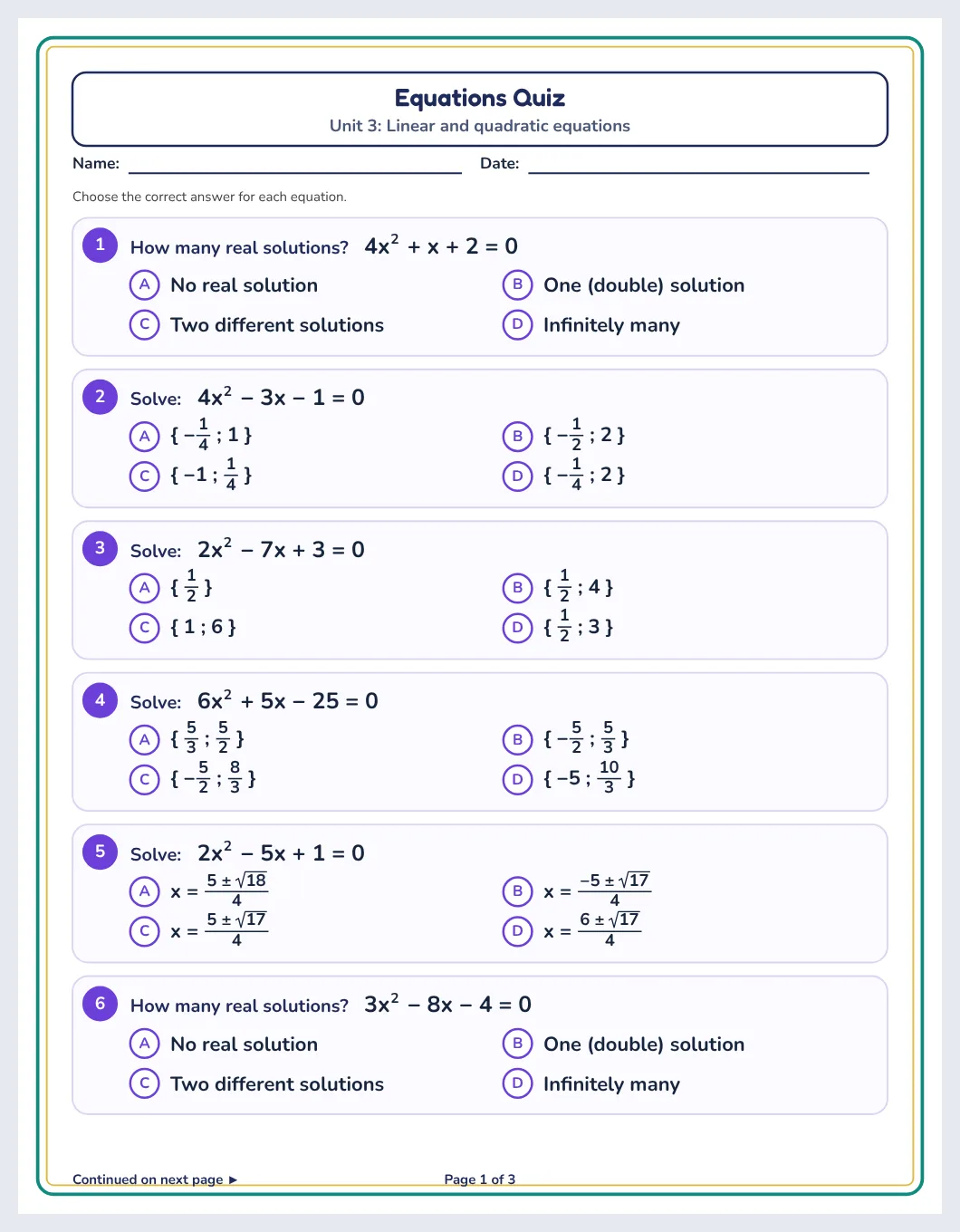
| Number of solutions | Use the discriminant Δ to decide: none, one or two real solutions. |
| Quadratic formula | Solutions with square roots, such as (−5 ± √89)/4. |
Easy, medium or hard — you decide
Click a difficulty and the studio selects the matching question types and number ranges:
- Easy: one- and two-step linear equations, brackets, x² = k and simple factorable quadratics with small whole-number solutions.
- Medium: unknowns on both sides, negative numbers, larger factorable quadratics and discriminant questions.
- Hard: fractions, brackets with extra terms, fractional answers, factorable quadratics with a ≠ 1 and the quadratic formula with square roots.
You can still tick or untick any type, so a page can focus on exactly what you taught this week.
Four answer choices that make students think
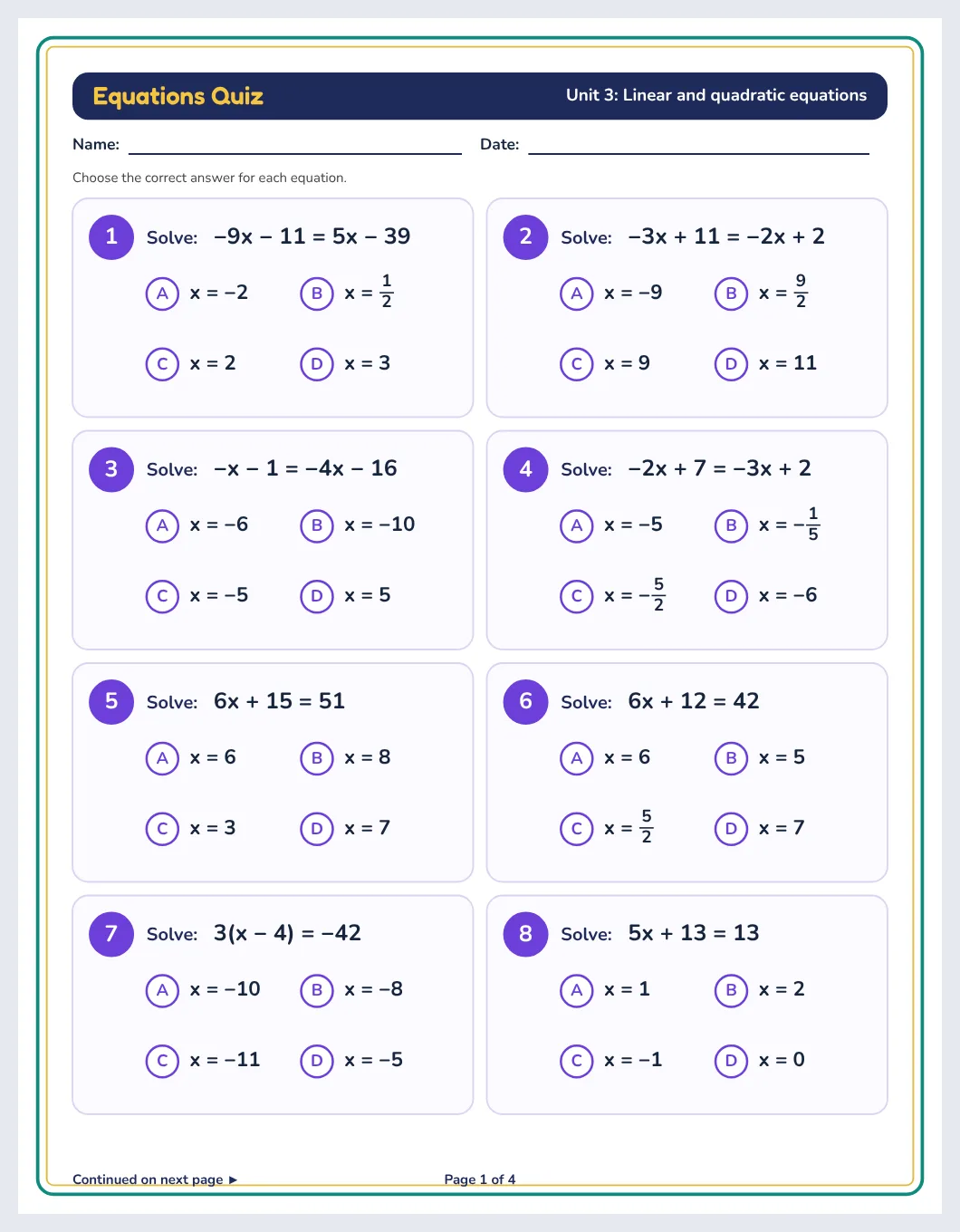
Every question has one correct answer and three distractors built from real mistakes: the opposite sign, half or double the answer, only one of the two solutions, a forgotten 2 in the quadratic formula. The position of the correct answer is shuffled, and the four choices are always different. For discriminant questions the choices are always the same four: no real solution, one (double) solution, two different solutions, infinitely many.
A header that looks like your own test
- Main title and subtitle — each with its own text, font, size, colour and bold, plus ready-made suggestions you can edit.
- Name, date and class lines — each optional and each with its own font, size and colour.
- Header style — plain, a colour band like a printed exam, or framed.
- Numbering — 1, 2, 3 or A, B, C, inside a circle, a square or nothing, and continuous across pages if you like.
- Choice letters — circle, square or none, in your colour.
- Question boxes and page border — line style, thickness, corners and colours, plus margins.
- Footer — “Page 2 of 11”, “Continued on next page” and your own text such as a phone number or website.
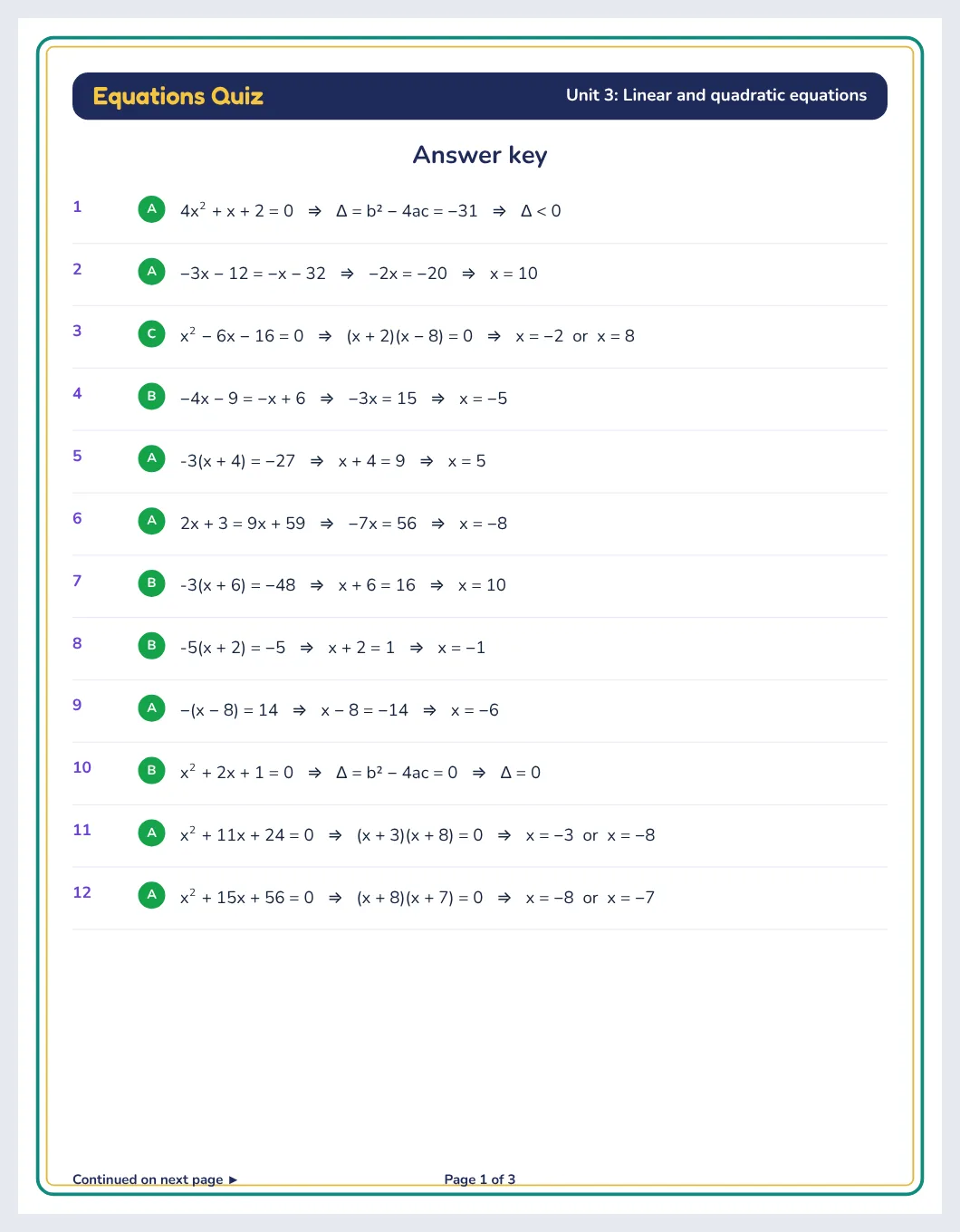
Answer key with worked solutions
The answer pages list the correct choice for every question, and — if you switch on worked solutions — the steps: x² − x − 90 = 0 ⇒ (x − 10)(x + 9) = 0 ⇒ x = 10 or x = −9. Students can use them to correct their own work, and you can check a whole class set in minutes.
Up to 50 pages with one click
Use ✨ One-click set to build up to 50 pages with brand-new questions. Tick “Get harder through the set” and the set starts easy and finishes hard — ideal for a revision booklet or a practice book. 🎲 New questions refreshes one page or all of them while keeping your design, so every class can get a different version of the same test.
Classroom tips
- Warm-up: four questions on the board-sized page at the start of the lesson.
- Diagnose: look at which wrong answers were chosen — they point to sign errors, forgotten solutions or factoring mistakes.
- Differentiate: print the same layout at three levels for three groups.
- Show the method: switch to open questions for homework, then hand out the worked solutions for self-correction.
- Revise: a 20-page set that gets harder is a ready-made revision booklet before an exam.
Make your own printable activities in minutes
Answer keys · US Letter, A4 & KDP sizes · PDF, PNG, SVG, PPTX
Start your free day →Frequently asked questions
Can I make worksheets with only linear equations?
Yes. Choose “Linear” and tick the linear types you want: ax + b = c, unknown on both sides, brackets and fractions.
Does it include quadratic equations with the quadratic formula?
Yes. The hard level includes quadratics whose solutions need the formula, shown with square roots such as (−5 ± √89)/4.
How are the wrong answers chosen?
They come from typical mistakes: the opposite sign, half or double the answer, only one solution of a quadratic, or a slip in the quadratic formula.
Can students write the answer instead of choosing?
Yes. Switch the answer format to open questions; each question then gets space to write.
How many pages can I make at once?
Up to 50 pages in one job. Answer pages are added at the end and are not counted.
Can I change the title, name and date styles?
Yes. The title, subtitle, name, date and class lines each have their own font, size, colour and on/off switch.
Summary
Solving equations takes a lot of practice, and good multiple-choice quizzes make that practice quick to mark and easy to diagnose. With the Equations Quiz Studio you choose linear or quadratic equations, a difficulty and the question types, style the header your way, and print up to 50 pages with four answer choices and worked solutions.
More puzzle guides for teachers

We build math worksheets, puzzle makers, answer keys and classroom tools for teachers, tutors and homeschool parents, and keep these guides up to date.