Color by Number Math Worksheets: Make a Printable Page in One Minute
Color by number math worksheets turn a page of practice problems into a hidden picture. Students solve each problem, find the answer in the color key and color the square, and a heart, a rocket or an owl slowly appears. It is one of the few worksheet formats that children ask for again. This guide explains why color by number works so well in math, how to choose the right level for each grade, and how to make a complete printable page — or a set of up to 30 pages with answer keys — in about one minute with the Color by Number Studio in your OnlineMathWorksheet account.
- What is a color by number math worksheet?
- Why teachers love color by number for math practice
- Choosing the right level for each grade
- How to make a printable page in one minute
- Build a set of up to 30 pages with one click
- Design options: make every page your own
- Five ways to use color by number in class
- Tips for a better result
What is a color by number math worksheet?
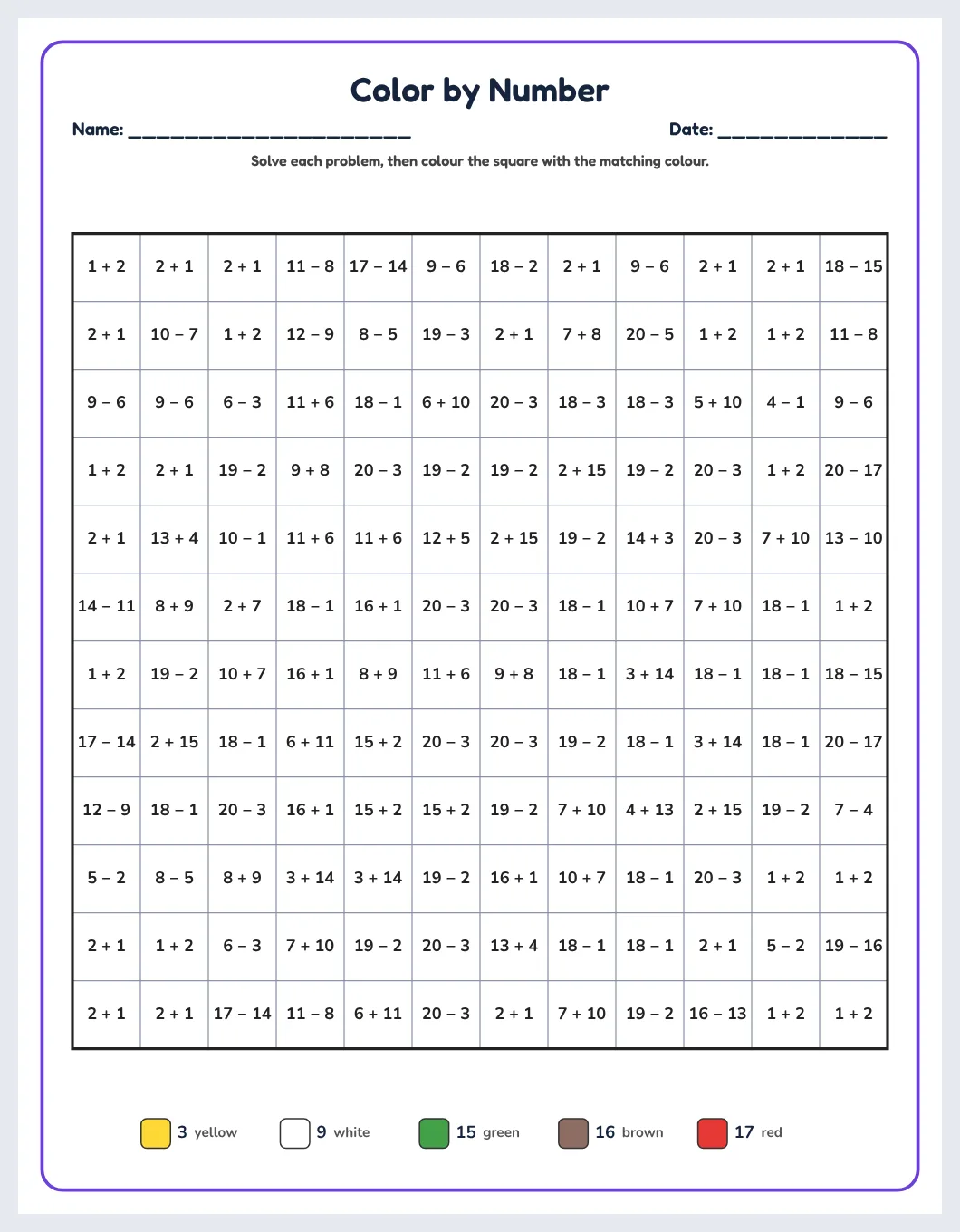
A color by number math worksheet is a grid of squares. Every square holds a small problem such as 7 + 5, 18 − 6 or 3 × 4. Below the grid is a color key: each answer matches one color, for example 12 = red, 15 = blue, 9 = green. The student solves a problem, looks up the answer in the key and colors the square. When every square is colored correctly, a picture appears.
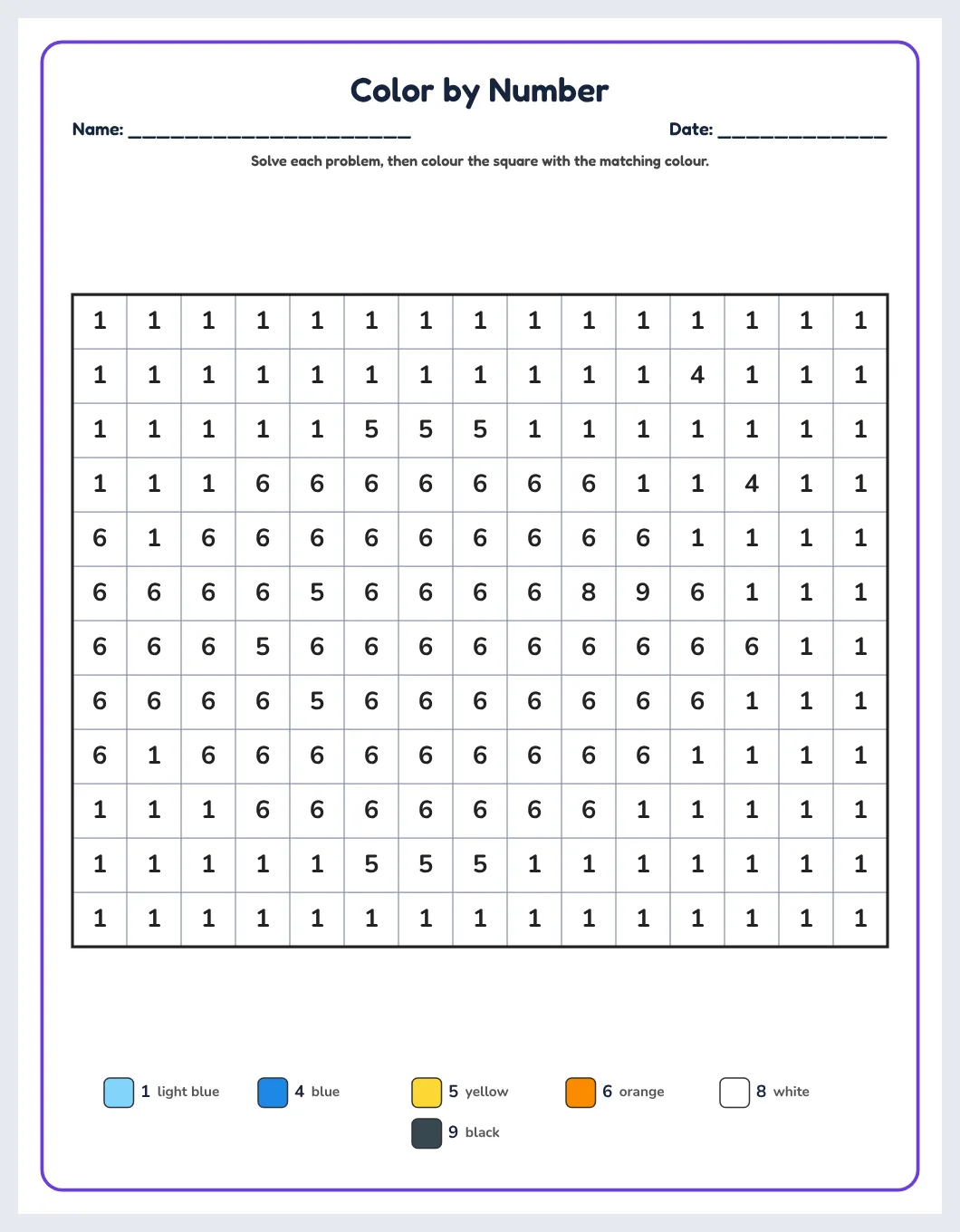
In the youngest version there is no math at all: each square simply shows the color number (1, 2, 3…) or a letter. That makes the same format useful from preschool, where children practise recognising numbers, up to grade 5, where the squares contain multiplication and division facts.
Why teachers love color by number for math practice
- It is self-checking. A wrong answer puts the wrong color in the picture, and students notice it on their own: “Why is there a blue square in the middle of my apple?”
- It turns repetition into a goal. Fact fluency needs many repetitions. Thirty addition facts feel like a chore; thirty squares that reveal a rocket feel like a game.
- It suits mixed-ability classes. Everyone gets the same picture, but you can print a different level for each group, so the picture stays the same while the math changes.
- It is calm work. Coloring after each answer gives a short break that helps concentration, which is why color by number is popular for early finishers, homework and the last lesson before a holiday.
- Parents understand it immediately. No instructions are needed at home.
Choosing the right level for each grade
The studio has eight ready-made levels. Click one and the problems on every page update at once.
| Preschool · numbers | Each square shows the color number (1–9). Children match numbers to colors. |
|---|---|
| Preschool · letters | Squares show letters instead of numbers — useful for letter recognition. |
| Kindergarten | Addition within 10. |
| Grade 1 | Addition and subtraction within 20. |
| Grade 2 | Addition and subtraction within 100. |
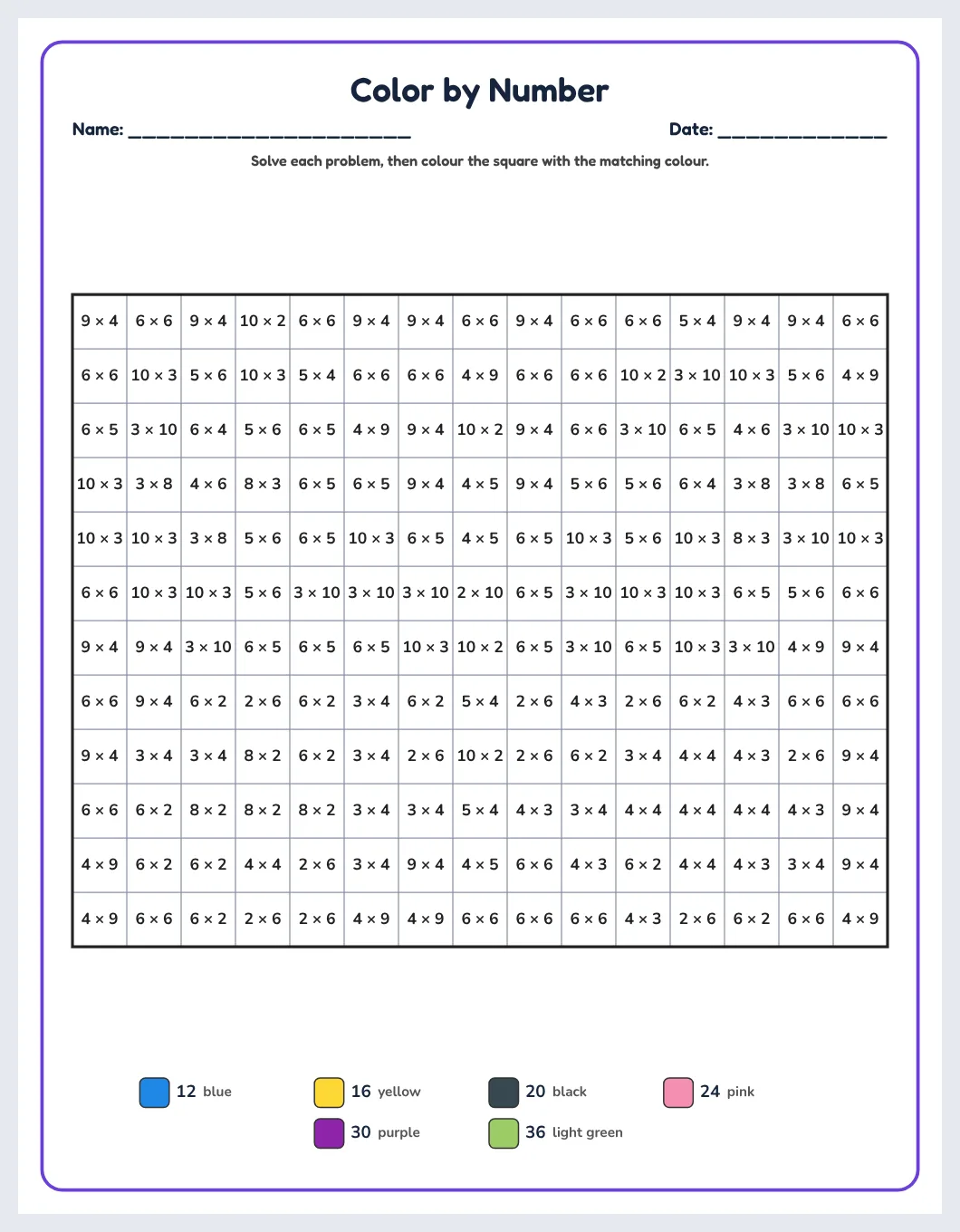
| Grade 3 | Multiplication facts (tables up to 10). |
| Grade 4 | Multiplication and division. |
| Grade 5 | All four operations mixed. |
You can also set the skill and range by hand — for example “subtraction up to 50” or “tables up to 12” — when a group needs something between two levels.
How to make a printable page in one minute
- Open the studio from your tools page after signing in.
- Click a level, for example Grade 1.
- Click a picture. There are 30 original pictures: heart, star, sun, fish, apple tree, house, rocket, cat, flower, butterfly, car, sailboat, owl, cupcake, turtle, palm tree, robot, bee, ladybug, hot-air balloon, airplane and more.
- Decide on the header. The title, the name line, the date line and the instructions are all optional, and each has its own size slider.
- Pick your fonts. Choose one font for the title, one for the problems and one for the color key, from child-friendly fonts such as Fredoka, Andika and Comic Neue.
- Export or print. PDF, PNG, SVG or PowerPoint — or print directly.
Need fresh problems for the same picture? Click 🎲 New problems: the picture stays, the numbers change, so every class or every year can get a new version.
Build a set of up to 30 pages with one click
For a homework pack, a holiday booklet or a KDP activity book, use ✨ One-click set. Choose how many pages you want (up to 30), choose a level, and tick “Get harder through the set” if you want the difficulty to rise page by page. Each page gets a different picture, so a 30-page set uses all 30 pictures once.
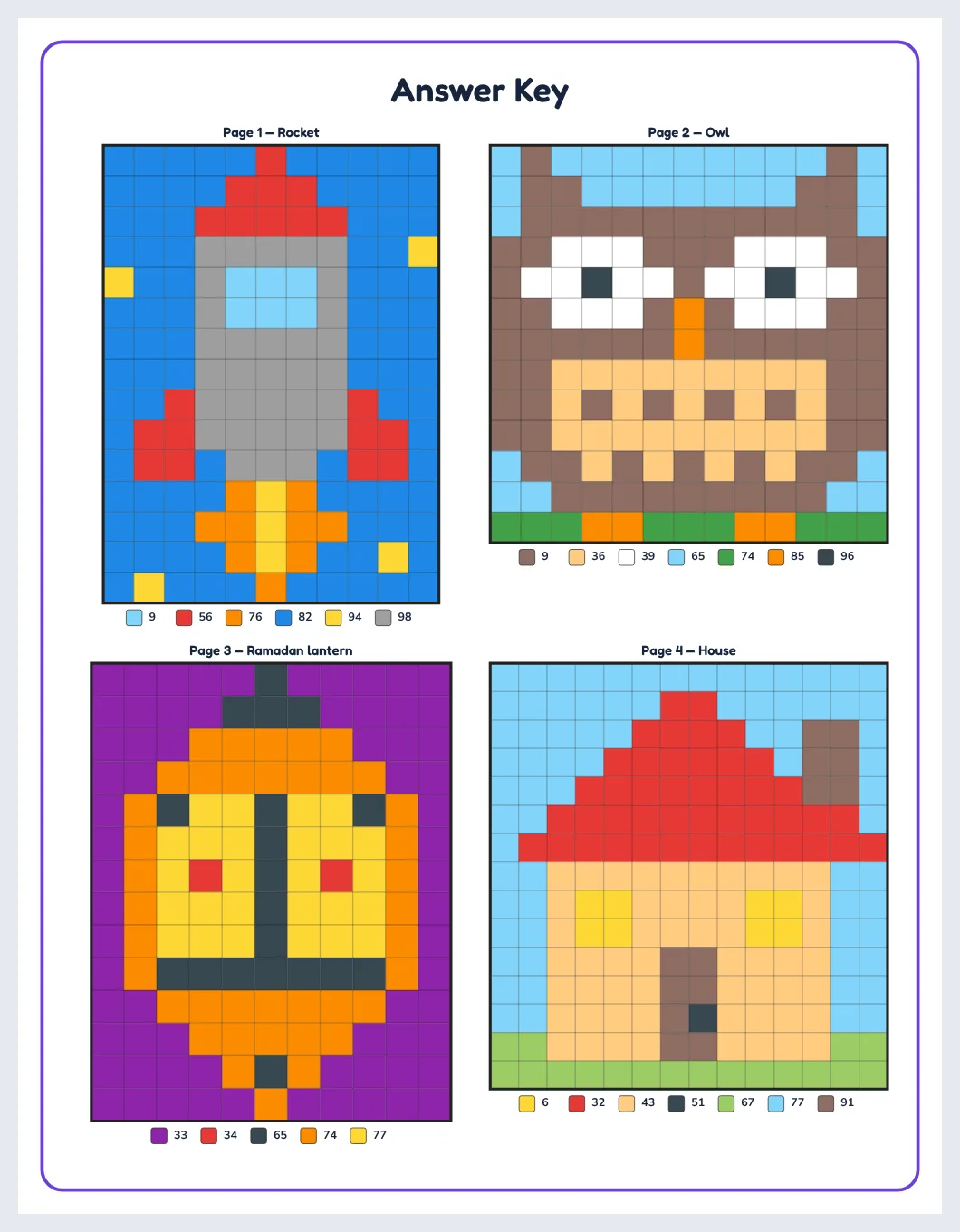
Answer pages are added automatically. You decide where they go — at the end of the set or after each page — and how many solved pictures appear on one answer page: 1, 4, 6 or 9.
Design options: make every page your own
- Content position: top, middle, bottom or “Fill page”, which keeps the header at the top, the color key at the bottom and centres the picture between them, so no space is wasted.
- Margins and square size: enlarge the squares for younger children or shrink them to fit a smaller page.
- Page border: none, single or double, with solid, dashed or dotted lines, rounded corners, thickness, distance from the edge and color.
- Color key: filled swatches, or empty swatches that children color themselves first — a nice extra step for preschoolers. Color names can be printed next to each swatch so pages still work on a black-and-white printer.
- Background squares: number them like the rest, or leave them blank so the picture stands out faster.
- Page sizes: US Letter, A4, A5, KDP 8.5 × 11, 8 × 10, 7.5 × 9.25, 6 × 9 or a custom size.
Five ways to use color by number in class
- Fact fluency warm-up: one page at the start of each lesson for a week, with new problems each day.
- Early finishers: keep a folder of pages at different levels.
- Differentiation: print the same picture at three levels — the class colors one picture together, everyone at their own level.
- Homework packs: a 10-page set with rising difficulty and the answer pages kept by the teacher.
- Seasonal pages: the Ramadan lantern, the moon and stars, the sun or the palm tree make quick themed activities.
Tips for a better result
- Use colored pencils rather than markers for small squares.
- For preschool, enlarge the squares and turn on the empty color key so children color the key first.
- Ask older students to write the answer in the corner of each square before coloring — it makes checking easier.
- Choose “Fill page” for single pages and keep 4 solved pictures per answer page for large sets.
Make your own printable activities in minutes
Answer keys · US Letter, A4 & KDP sizes · PDF, PNG, SVG, PPTX
Start your free day →Frequently asked questions
Are color by number worksheets good for learning math?
Yes. They give many repetitions of the same facts, they are self-checking because a wrong answer shows up as a wrong color, and children are motivated to finish the picture.
What age is color by number for?
From about age 3 (numbers only) to age 11 (mixed operations). The studio has levels from preschool to grade 5.
How many pages can I make at once?
Up to 30 worksheets in one set, each with a different picture. Answer pages are added automatically and are not counted in the 30.
Can I leave out the title, name and date?
Yes. The title, name line, date line and instructions are each optional and each has its own size control.
Can I print in black and white?
Yes. Turn on color names in the key so children know which color to use even when the swatches print grey.
Can I sell books made with the tool on Amazon KDP?
The studio includes KDP trim sizes and 300 dpi export, so you can prepare interiors for activity books; the 30 pictures are original artwork made for the tool.
Summary
Color by number worksheets combine fact practice with a picture that rewards every correct answer. With the Color by Number Studio you choose a level, click one of 30 original pictures, decide whether you want a title, name and date line, and export a printable page in about a minute — or a 30-page set with answer keys in one click.
More puzzle guides for teachers
We build math worksheets, puzzle makers, answer keys and classroom tools for teachers, tutors and homeschool parents, and keep these guides up to date.