Missing Number Worksheets: Early Algebra Thinking

Missing-number problems like 7 + ☐ = 12 are a gentle introduction to algebra. Students must think about how operations relate instead of just computing.
📥 Download the free missing numbers worksheet (PDF) — or read on to learn how to make your own versions in seconds.
What students practice
Example worksheet and answer key
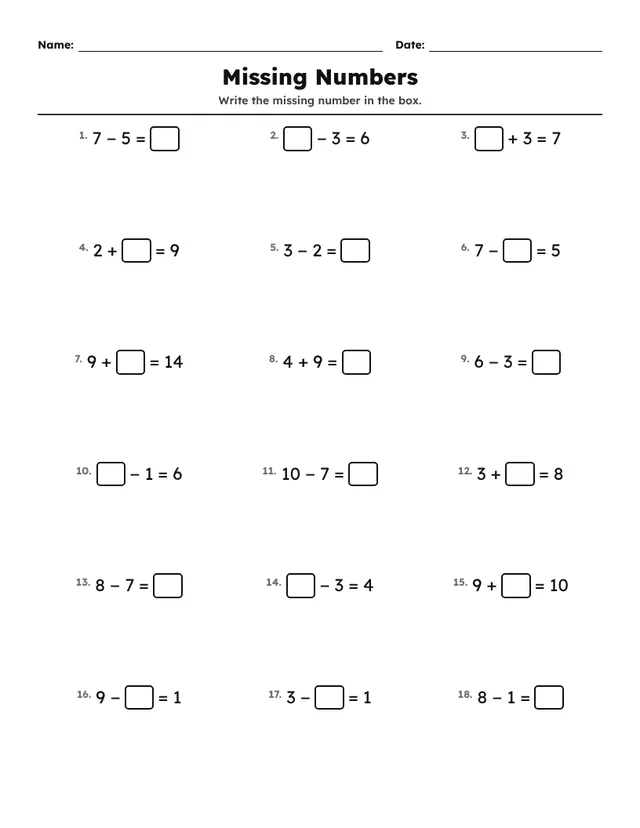
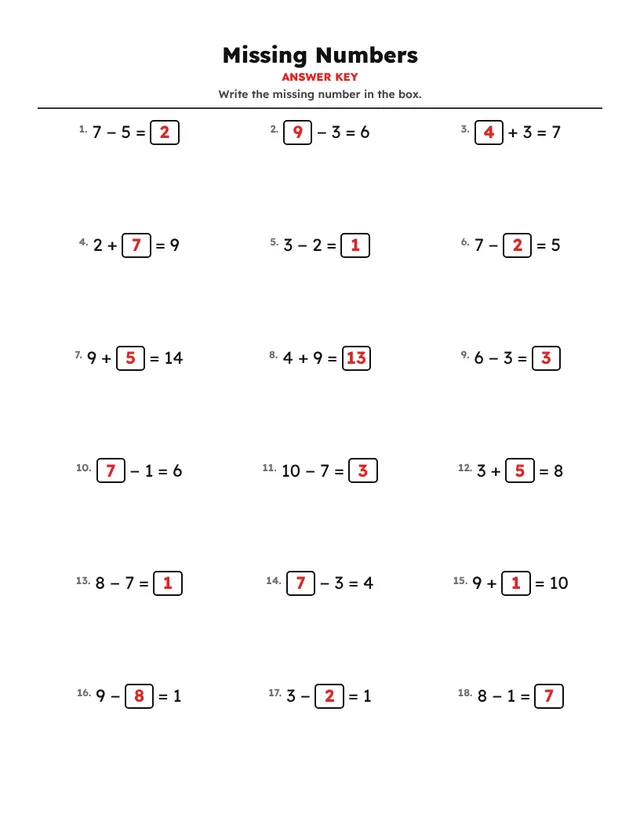
Here is a missing numbers worksheet made with the default settings, next to the answer key that the tool creates automatically.
How to create a missing numbers worksheet in 60 seconds
- Sign in to OnlineMathWorksheet (or start the free 1-day trial) and open the tool.
- In Settings → Worksheet type, choose Missing Numbers from the Basic Operations group.
- Open Problem options and adjust: Number range (from–to), Operations.
- Under Problem layout, pick the number of rows and columns (the default is 6 × 3).
- In Header, keep the title “Missing Numbers” and the instruction “Write the missing number in the box.”, or write your own.
- Click New problems for this page until you like the set — every click creates a fresh version.
- Use Export to download a PDF with the answer key, or save the pages as PNG or JPG images.
Ready-made settings
Use these as starting points and adjust them to your class:
| Addition only (Grade 1) | Operations: +, range 1–10. |
|---|---|
| Addition & subtraction | Select + and −. |
| Multiplication & division | Select × and ÷. |
| All operations | Select all four for a mixed review. |
Teaching tips
- Encourage students to say the problem as a question: “What plus 7 makes 12?”.
- The box can appear in any position, which builds flexible thinking.
- Follow up with the Simple Equations activity to move from boxes to letters.
Make your first missing numbers worksheet now
Try all 52 activities free for one day. No card needed.
Start free →Frequently asked questions
Do the missing numbers worksheets come with an answer key?
Yes. Every worksheet gets a matching answer page automatically. You can include it in the PDF or hide it.
Can I make a different version for each student?
Yes. Click “New problems for this page” to generate new numbers with the same settings — as many times as you like.
Which languages are available?
The worksheet itself can be printed in English, French, Spanish or Arabic, which is handy for bilingual classes.


