Counting Objects Worksheets

Counting objects and writing the number is one of the very first math skills. Choose a picture shape and a number range.
📥 Download the free counting objects worksheet (PDF) — or read on to learn how to make your own versions in seconds.
What students practice
Example worksheet and answer key
Here is a counting objects worksheet made with the default settings, next to the answer key that the tool creates automatically.
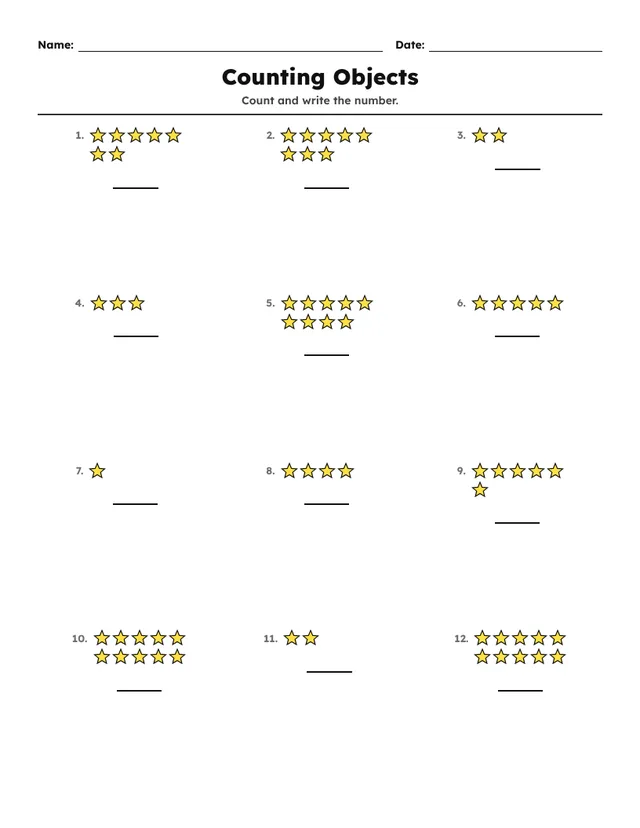

How to create a counting objects worksheet in 60 seconds
- Sign in to OnlineMathWorksheet (or start the free 1-day trial) and open the tool.
- In Settings → Worksheet type, choose Counting Objects from the Visual Tools group.
- Open Problem options and adjust: Number (from–to), Shape.
- Under Problem layout, pick the number of rows and columns (the default is 4 × 3).
- In Header, keep the title “Counting Objects” and the instruction “Count and write the number.”, or write your own.
- Click New problems for this page until you like the set — every click creates a fresh version.
- Use Export to download a PDF with the answer key, or save the pages as PNG or JPG images.
Ready-made settings
Use these as starting points and adjust them to your class:
| Up to 5 | Number 1–5. |
|---|---|
| Up to 10 | Number 1–10 (default). |
| Change the picture | Shape: stars, circles, hearts or squares. |
Teaching tips
- Ask children to touch each picture as they count.
- Change the shape to keep it fresh.
- Pair with Number Bonds once counting is secure.
Make your first counting objects worksheet now
Try all 52 activities free for one day. No card needed.
Start free →Frequently asked questions
Do the counting objects worksheets come with an answer key?
Yes. Every worksheet gets a matching answer page automatically. You can include it in the PDF or hide it.
Can I make a different version for each student?
Yes. Click “New problems for this page” to generate new numbers with the same settings — as many times as you like.
Which languages are available?
The worksheet itself can be printed in English, French, Spanish or Arabic, which is handy for bilingual classes.


